How to Manage Your Mail Club Account
Access Login Page
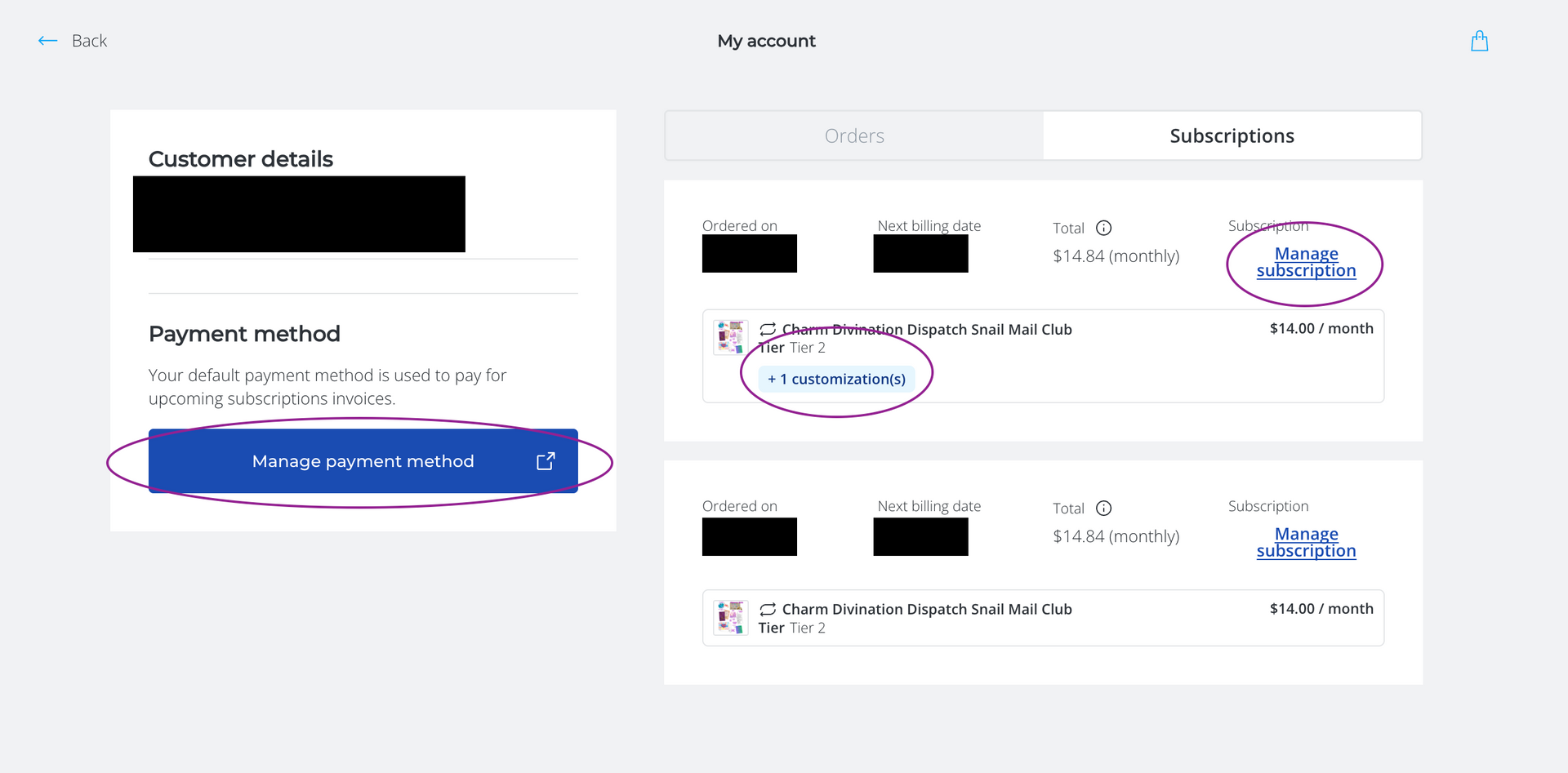
Click on the login icon (👤) at the top right of any page on the site.
Or
Go to the FOOTER of any page and find
"Manage My Mail Club Account"
Click this link to be taken to the login/sign up page
HEADER:

FOOTER:
Sign Into Your Account
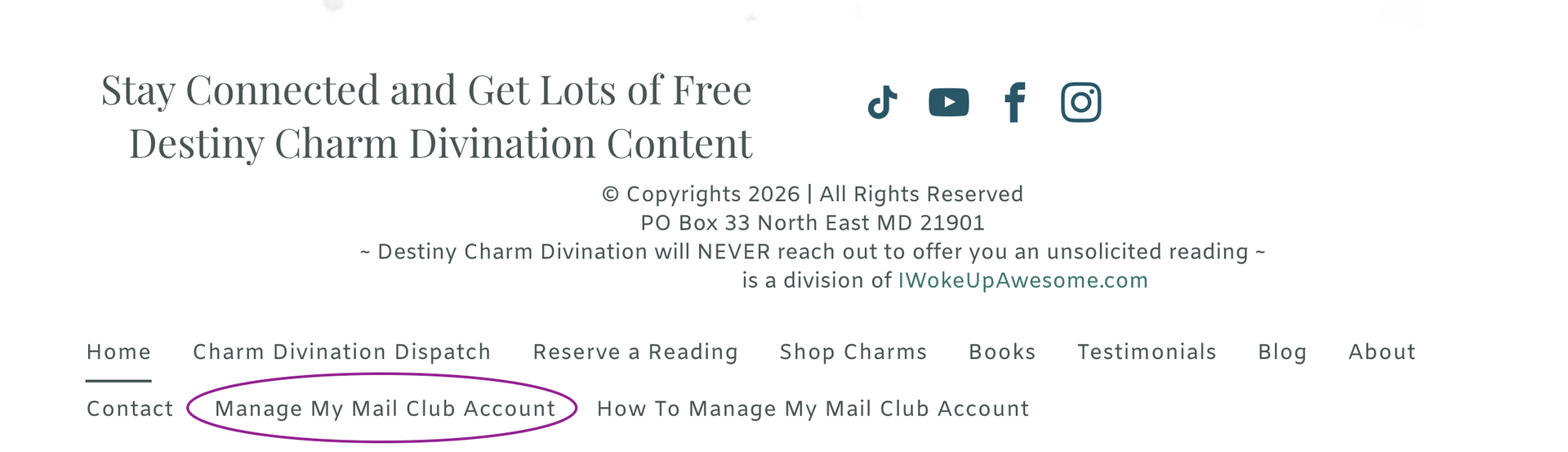
As you already have an account, choose LOGIN to access your Charm Divination Dispatch mail club subscription.
Forgot Password?
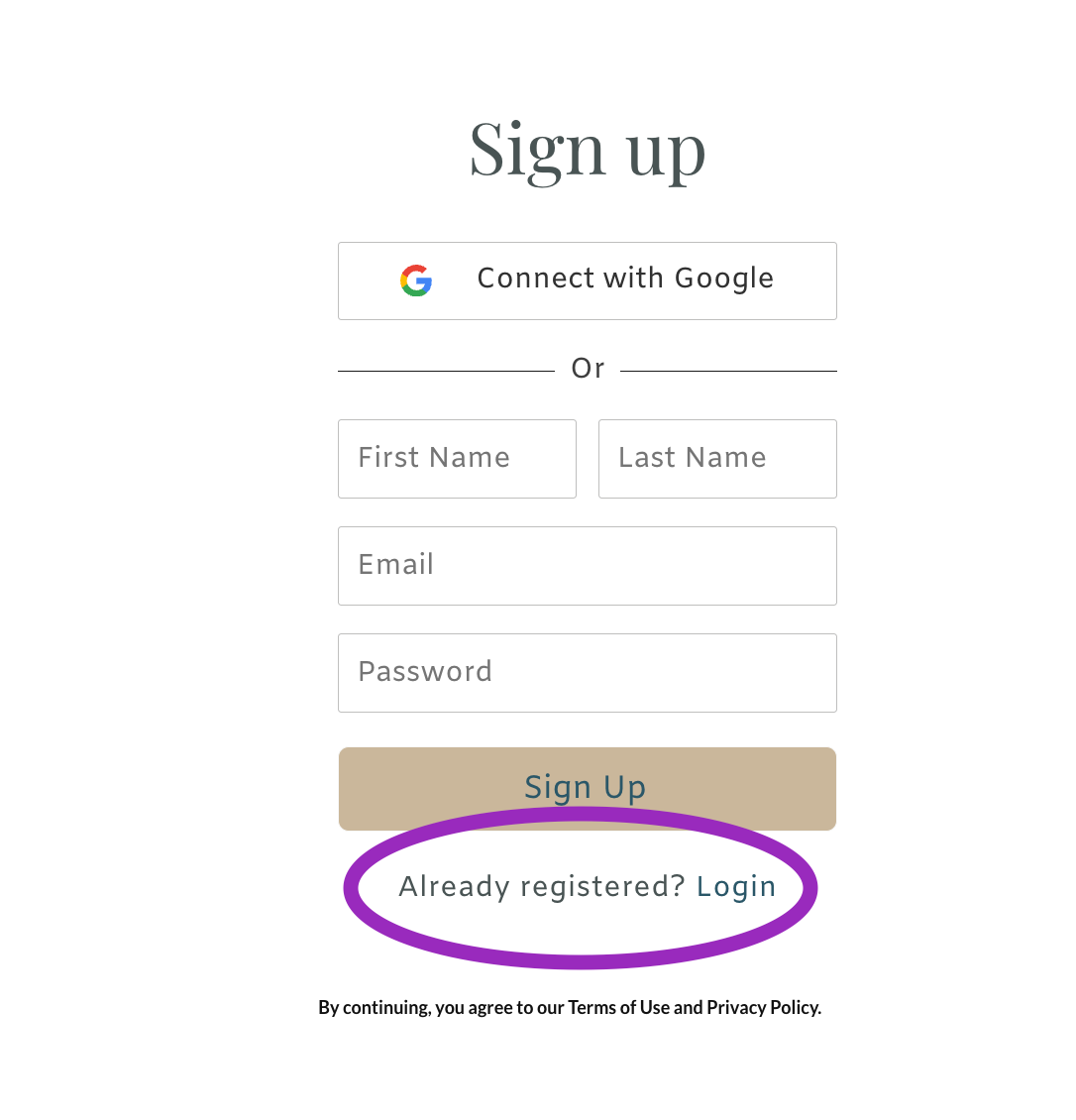
If you have forgotten your password, no problem!
Click the "Login" link and it will load the "Login" page.
There is a "Forgot Password?" option. Click that and you can reset your password to something you will remember. You will need the email address you used to join the mail club initially.
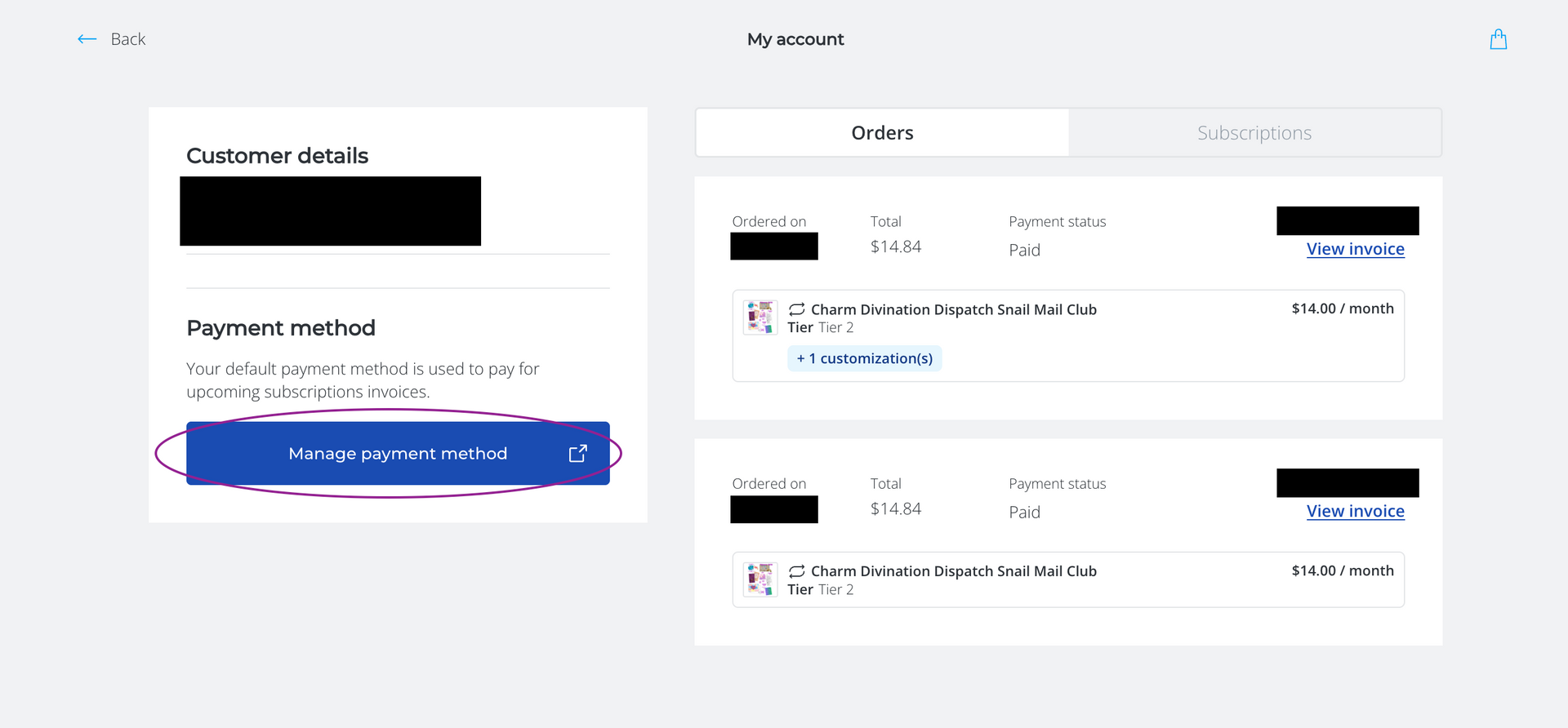
Manage Your Payment Method
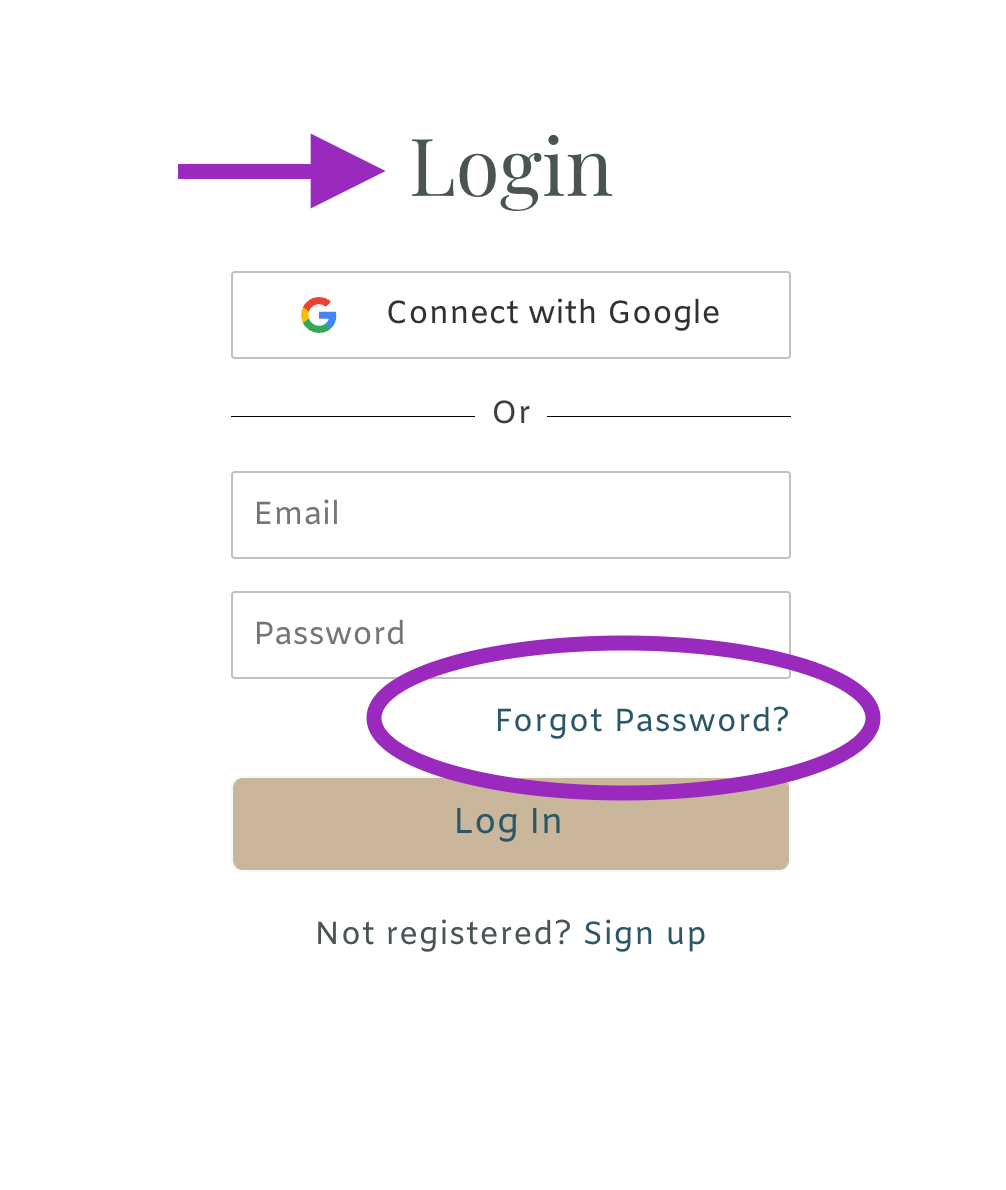
Your account will open on the Orders tab, where you can view your orders and access the payment method connected to your subscription. If a subscription payment has failed, use Manage Payment Method to update or re-enter your card and retry the outstanding charge.
MPORTANT NOTE FOR FAILED SUBSCRIPTION PAYMENTS
If your subscription payment is declined, you’ll receive an email with a link to update or re-enter your saved payment method.
Use that link first. Once you update or re-enter your payment method, the system will automatically retry the outstanding payment.
If needed, you can also log into your Destiny Charm Divination account and select Manage Payment Method.
From there, you can either:
- update your card information if your payment method has changed or expired, or
- re-enter your existing card information, even if the card itself is still valid.
Please resolve the failed payment as soon as possible. If the outstanding invoice remains unpaid through the next billing cycle, the subscription will automatically stop. Once a subscription has been stopped for an unpaid invoice, it cannot be restarted and a new subscription order will be required.
Important: Please do not send a separate payment through Venmo or another outside payment method for a failed subscription charge. An outside payment does not clear the unpaid invoice in the subscription system or keep the subscription active.
Updating Apple Pay, Google Pay, or another digital wallet also does not update the payment method attached to your Mail Club subscription. The payment information must be updated or re-entered through your Destiny Charm Divination account.
If you have trouble accessing your account or updating your payment method, please reach out and I’ll be happy to help.
Manage Your Subscription
Choose the Subscriptions tab and you will have access to:
- Manage Subscriptions (you can cancel here)
- Customizations (confirm the name/address where your mail is sent)
- Manage Payment Method (update credit card info)